
Word Search Explorer
PlaySimple Games
A free, offline-friendly word search game with gentle progression and vocabulary practice
The design centers on a familiar word-search loop, but the supporting systems matter because they shape pace and accessibility. The game is built for quick play sessions, gradual difficulty, and a light sense of progression across many puzzles.
Download Word Search Explorer
| Category | Word |
| Installs | 50,000,000+ |
| Version | 1.276.0 |
| Updated | Apr 21, 2026 |
About this game
Game Overview
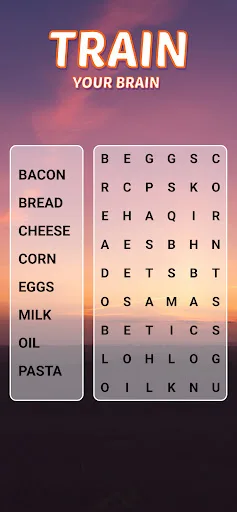
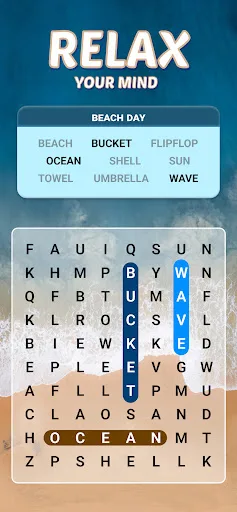
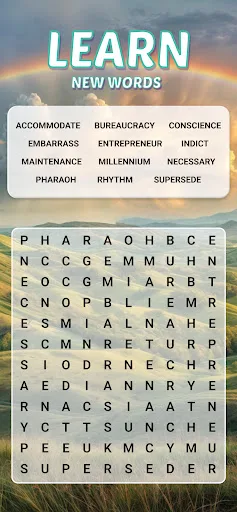
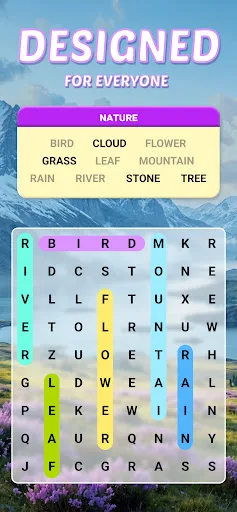
Word Search Explorer is a free-to-play word puzzle game from PlaySimple Games, a studio better known for accessible mobile word titles. The structure is familiar: players scan a letter grid, find theme-based words, and swipe to clear them, with each solved puzzle pushing progress forward. That loop is simple, but it is also the point. The game leans on repetition, short sessions, and a steady sense of completion rather than mechanical complexity. Its presentation is described as visually pleasing and the short description says it is designed with seniors in mind, which suggests large, readable design cues and a low-friction pace. With over 50 million installs and a very high rating from more than 1.1 million reviews, it clearly has broad appeal among players who want a calm, vocabulary-focused puzzle rather than a demanding word challenge.
Core Gameplay Features
- Theme-Based Grids Each puzzle asks players to find hidden words tied to a common theme. That structure gives the game a clear objective and keeps the word lists easy to understand at a glance.
- Swipe Controls Words are formed by swiping through the letter grid. The control scheme is simple and touch-friendly, which suits short mobile sessions and reduces friction for casual play.
- Guiding Hints The game includes multiple hints to help when a grid stalls. That makes the experience more forgiving, especially for players who want a relaxed pace rather than strict pressure.
- Offline Play The description says it can be played offline, so it works without a constant connection. That is useful for commuting, travel, or any situation where mobile data is unreliable.
- Progress Sync Facebook login can sync progress across devices. This is mainly a convenience feature for players who switch between phones or tablets and want their puzzle progress preserved.
What Makes It Stand Out
The game’s main strength is not novelty, but accessibility at scale. Its high install count, strong rating, and cross-platform availability suggest a polished, low-stress word-search package that has found a large audience without demanding much from the player.
- Large Player Base More than 50 million Google Play installs and over 1.1 million ratings point to a widely used app with unusually strong store feedback for a mobile word game.
- Accessible Design The store copy specifically frames it as suitable for seniors, which implies clear presentation and a gentle learning curve rather than dense or intimidating puzzle design.
- Flexible Sessions Offline play and hint support make it easy to fit into short breaks. The structure favors quick puzzle solving instead of long, commitment-heavy runs.
Things to Know Before Playing
This is a free mobile game, so the practical tradeoff is likely the usual one: optional monetization and a progression loop built to keep players moving through many puzzles. The available metadata also helps narrow down age suitability and storage planning.
- Free-To-Play Monetization The game is free on both stores, which usually means some mix of ads or in-app purchases. The listing does not spell out the exact model, so the store page remains the source of truth.
- Storage Planning The App Store lists a size of about 319 MB. It is sensible to keep extra free space for updates and cache, especially on older phones or tablets.
- Family-Friendly Rating The game is rated Everyone on Google Play and 4+ on the App Store. That makes it suitable for younger players, with no mature content signaled in the metadata.